
Becoming a live stream host is one of two ways you can earn on Emma Live. The role itself is straightforward, go live, connect with new people, and collect gifts, much like any other live streaming platform.
What sets Emma Live apart, however, are the exclusive perks that come with being a host on the platform: daily bonuses, monthly events, leaderboard ranking rewards, private call earnings, and much more that you simply won’t find anywhere else. Ready to get started? Let’s kick things off by going over the Emma Live host registration requirements you’ll need to meet before joining as a host.
How to Become Emma Live Hots
Step 1: Download the App
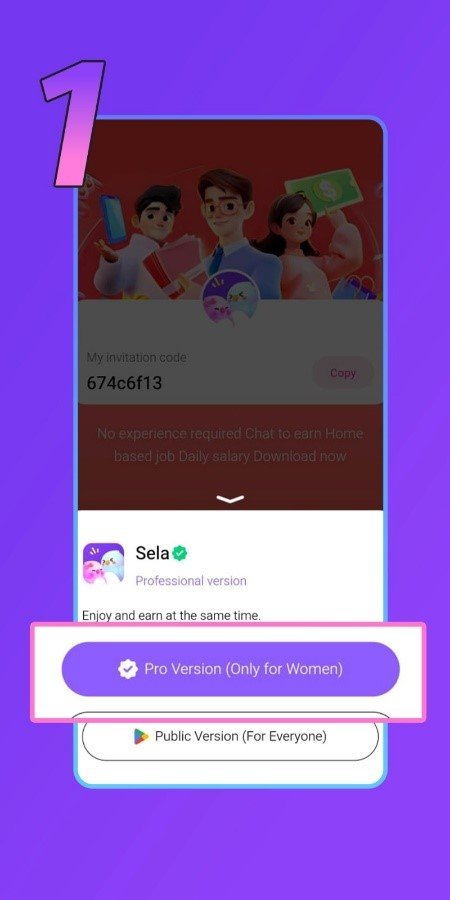
First, start by tapping the download link on this page to install the Emma Live app on your device. When given the option, make sure to select the Pro version of the app. Before moving on, take note of the invitation code 3xEVCq as you’ll need it during the sign-up process.
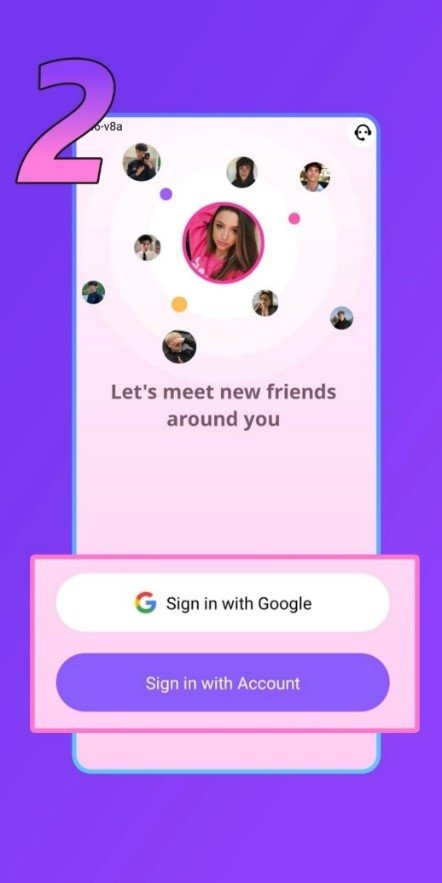
Step 2: Open the App and Select ‘Sign Up’
Once the app is installed and open, tap the ‘Sign Up’ button on the welcome screen to begin creating your Emma Live host account.
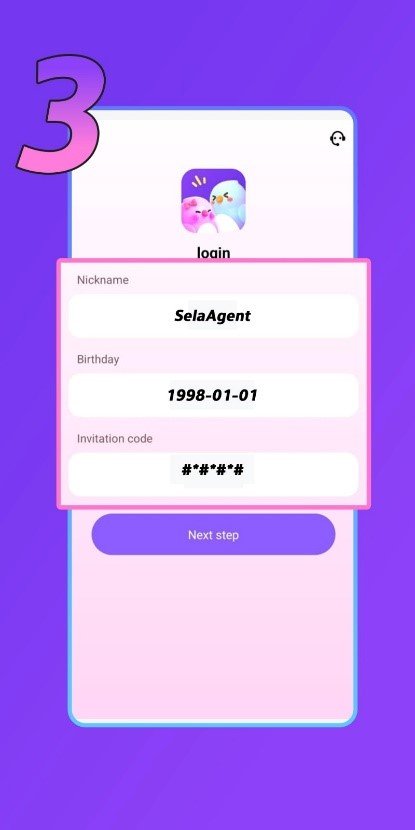
Step 3: Fill Out the Required Information
Complete all the necessary fields in the registration form with your personal details. When you reach the invitation code field, paste in 3xEVCq exactly as shown. Furthermore, double-check that the code is entered correctly before proceeding to the next step.
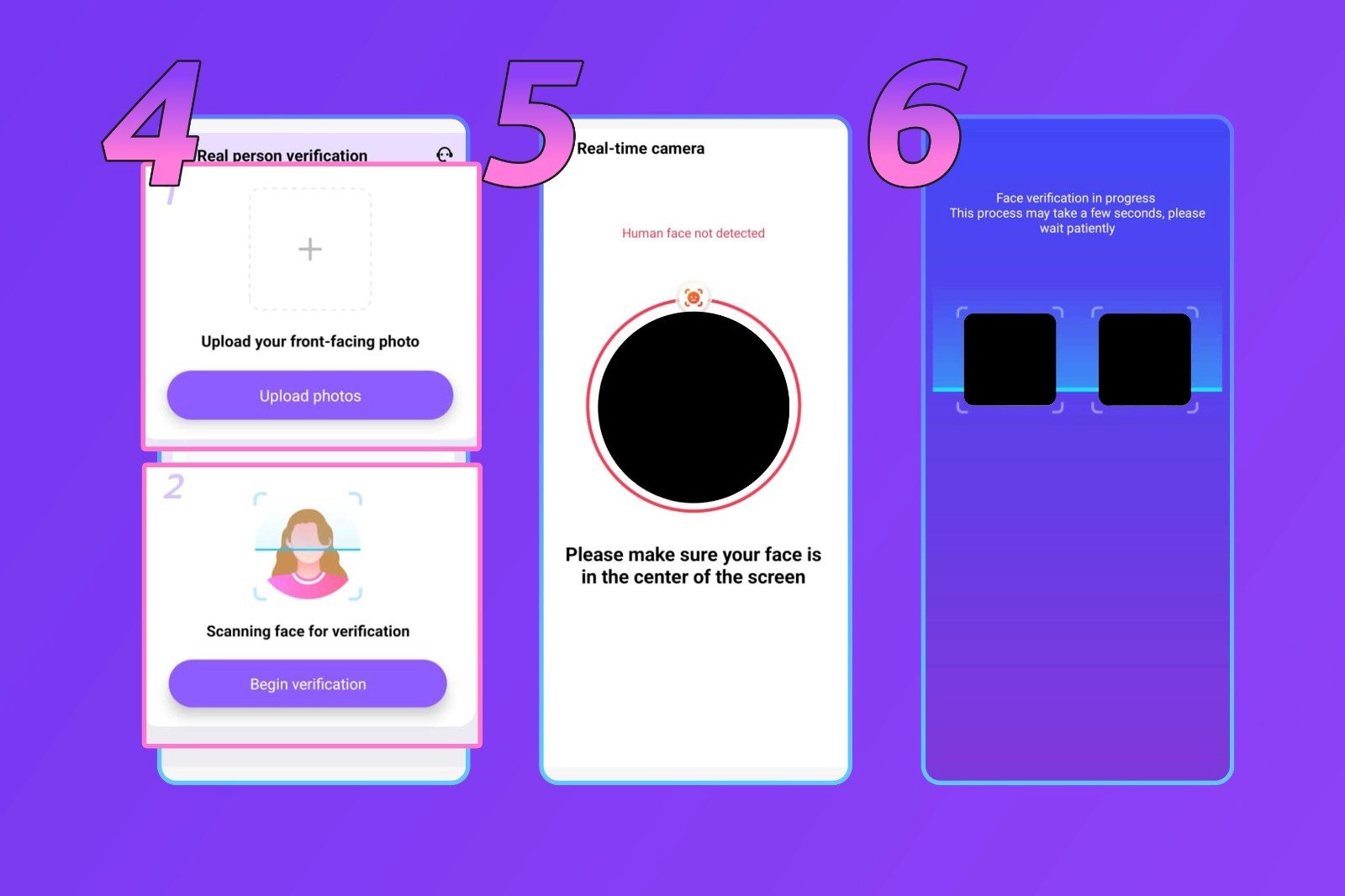
Step 4: Upload Your Photo to Verify Your Identity
You’ll be asked to upload a photo of yourself as part of the identity verification process. In this case, make sure the image is recent, clearly shows your face, and is free of filters or heavy edits to ensure it gets accepted without any issues.
Step 5: Follow the On-Screen Face Verification Instructions
The app will guide you through a real-time face verification process. In this case, follow each on-screen instruction carefully, make sure you’re in a well-lit space, your face is fully visible, and no accessories are covering your features during this step.
Step 6: Wait for the Emma Live Team to Verify Your Data
Once everything is submitted, all that’s left is to wait. The Emma Live team will review your registration details and verify your account. Additionally, keep an eye on your app notifications for an update on your verification status.
Common Problems and How to Fix Them
- I selected the wrong gender or country
Unfortunately, neither gender or country cannot be modified once your account has been created. If you made an error during registration, you’ll need to sign up again with a new account using the correct details.
- I can’t access the registration link
Double-check that you’re using the correct link provided on this page. Our registration link is fully compatible with both iOS and Android devices, so the issue is most likely with the link itself rather than your device.
- I’m having trouble uploading a photo
Your registration photo must be original and completely unedited, no filters, no enhancements. Then, once your account is up and running, you’re free to update your profile picture to whatever you like, edited or otherwise.
Emma Live Host Registration Frequently Asked Questions
- I entered the wrong username?
Not a problem, your username can be changed at any time through your profile settings once your account is active.
- Can I have more than one host account on a single device?
No, Emma Live only allows one registered account per device.
- Is screen recording permitted on the app?
No. Emma Live disables screen recording entirely across the platform to protect the privacy of both hosts and their viewers.
Welcome to Emma Live! Your Hosting Journey Begins Now
In conclusion, signing up on Emma Live is a smooth and beginner-friendly experience from start to finish. So, if you’ve already completed your registration, congratulations! You’re now an official Emma Live host with the entire platform open and ready for you to explore.
Have questions about getting started, hosting features, or anything else along the way? Our team is always happy to help, reach out anytime. And don’t forget to check out our blog for more tutorials, tips, and guides to set you up for success on Emma Live!